

The best mirror for video calls is the one that fixes two problems at once: harsh webcam lighting and close-up detail. This updated 2026 guide breaks down what beauty influencers actually optimise for, how to position a lighted mirror near your webcam, and when a ring light is still the smarter choice.
Best Mirror for Video Calls: Beauty Influencer Lighting Picks for 2026
Last updated: 3rd April 2026
How to look better on Zoom with mirror lighting, without turning your room into a studio
Let’s challenge the premise a bit. If your only goal is to look better on calls, you might not need a mirror at all. A small camera-facing light can solve it faster. A mirror becomes the “best mirror for video calls” only when you’re doing a second task as well, makeup, grooming, skincare checks, or content prep, and you want your prep view aligned with your on-screen view.
The practical baseline is simple: your face needs to be brighter than your background, and the brightest light should be in front of you, not behind you. Zoom’s own guidance emphasises indirect, balanced light because harsh direct sources can blow out highlights and trigger exposure shifts mid-call.
⚡ PRO INSIGHT: If your webcam keeps “hunting” between too bright and too dark, dim your light first, then bring it closer. Cameras handle a close, softer source far better than a bright lamp across the room.
What beauty influencers are actually optimising for on video calls
Creators tend to care about three things typical office setups ignore: colour accuracy (undertone), texture visibility (patchiness), and symmetry (brows and liner). That’s why many people prep under a mirror light, then switch to a camera-facing light when filming. If you’re deciding between tools, our breakdown of vanity mirror with lights vs ring light helps you pick based on the job, not the trend.
| Influencer need | What it looks like on camera | Fastest fix |
|---|---|---|
| Accurate colour | Foundation looks too warm, too grey, or “off” vs real life | Daylight-leaning front light, then a quick check in a second mode |
| Texture visibility | Patchiness shows up on video, especially under-eyes and around the nose | Lower, more frontal light, then refine in 1x before going on camera |
| Symmetry | Brows, liner, or beard edges look uneven on the mirrored call view | Position the mirror close to the webcam axis so prep view matches call view |
If you want a clearer mode-by-mode approach, use our guide to warm vs cool vs natural lighting. The same logic applies to video calls: you’re matching typical indoor light, not one perfect lamp.
The positioning rule most people miss
Most “I look worse on Zoom” setups fail for one reason: the light is higher than the camera. Laptops exaggerate this because the webcam is above the screen, and many rooms rely on overhead lighting. The result is shadow under the brow ridge and eye sockets, plus shine on the forehead.
The Verge’s guide is blunt about the fix: start with lighting, keep your biggest source in front of you or within roughly 45 degrees, and avoid backlighting. A mirror light can act like a front light, but only if you place it near the camera line rather than off to the side.
Expert quote
“Avoid bright rear lights. These will either make your image lower quality or blow out your background.”
— Josh Gillick, Creative Director at Cisco Webex, in The best lighting for video conferencing, according to experts
Mirror vs ring light for video calls, a sceptical take
A mirror is not automatically better for video calls. If you do mostly meetings and rarely prep, a ring light or small desk key light can be the more direct solution because it lights the camera view, not your reflection. Tom’s Guide’s 2025 roundup highlights ring lights as popular for video because they can provide even, flattering light, especially when colour temperature and brightness are adjustable.
So why do mirrors show up in creator setups? Because creators are juggling two tasks: prepping (needs a mirror) and presenting (needs camera-facing light). If you pick one tool, pick based on which task you do most.
- Mostly meetings: prioritise camera-facing lighting first, mirror second.
- Makeup, grooming, then meetings: a lighted mirror earns its keep because it reduces “it looked fine until I opened the laptop” surprises.
- Filming content regularly: mirror for prep, then ring light or key light for filming, treat them as different tools.
What to look for in the best mirror for video calls
These are the features that matter for video calls specifically. If you want a broader buyer checklist, see our cosmetic light mirrors guide.
- Stable height and tilt: the mirror’s centre should sit close to webcam height so your light stays frontal and your eye line feels natural.
- Dimmable lighting with multiple modes: a neutral or daylight-leaning mode helps you avoid looking orange or grey on webcam.
- Power that fits your reality: rechargeable is tidy for desks, plug-in is simplest for all-day calls.
- Magnification as a tool, not a lifestyle: magnification is for quick checks, not for doing your whole face.
⚡ PRO INSIGHT: If you’re 45+, better lighting often fixes more than stronger magnification. Use magnification briefly for precision, then step back to 1x so you don’t overcorrect what will be seen on camera.
Our mirror picks for video calls (and when each one actually makes sense)
| Mirror | Best for | What to know | Here’s Our Favourite |
|---|---|---|---|
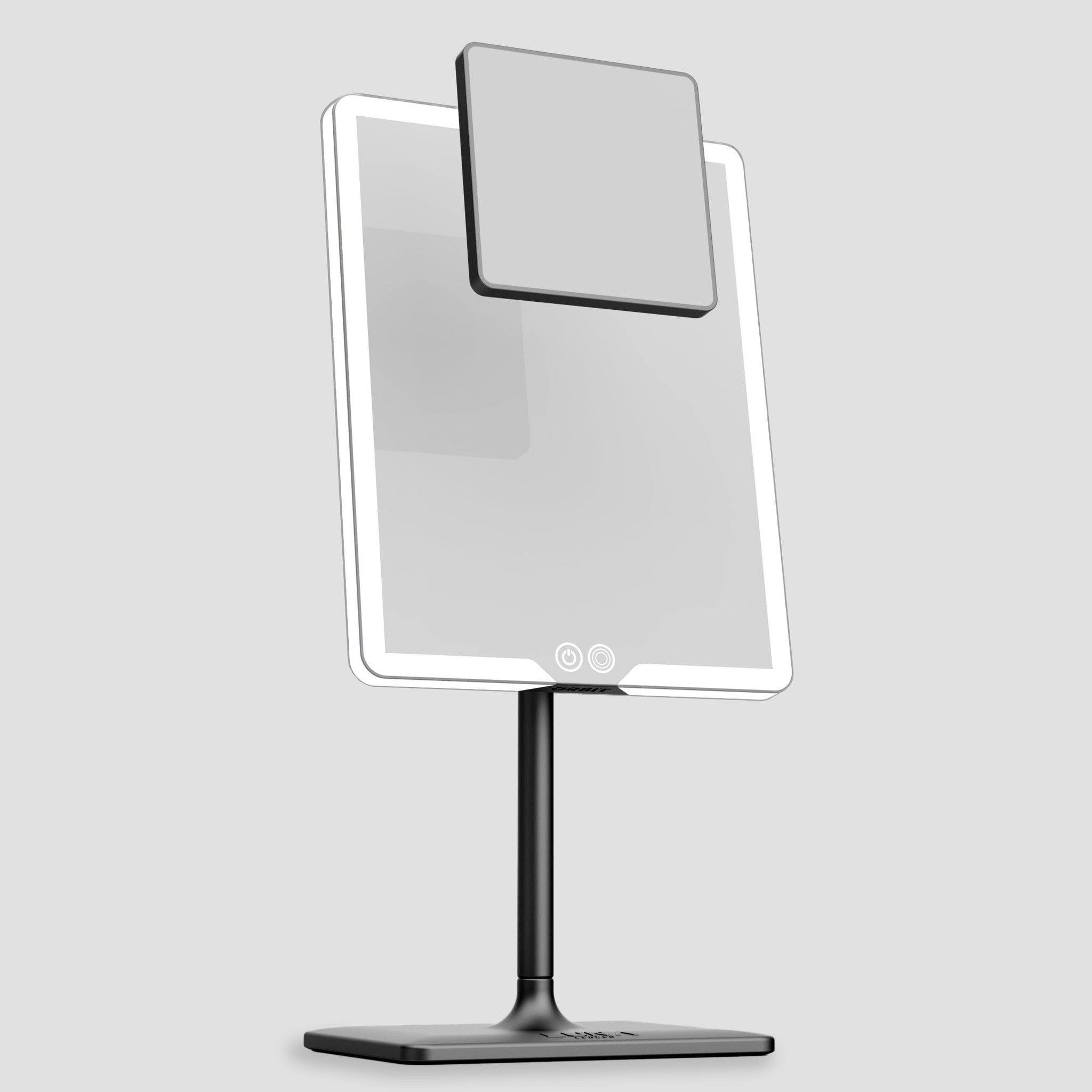
| ORBIT | Desk-based calls, GRWM prep, best webcam-height control | 1x for normal use, plus an optional magnetic 7x mini attachment for quick detail checks. Strong choice when you want a clean desk setup without extra stands. | Best all-rounder for video calls, stable angles make placement easy. |
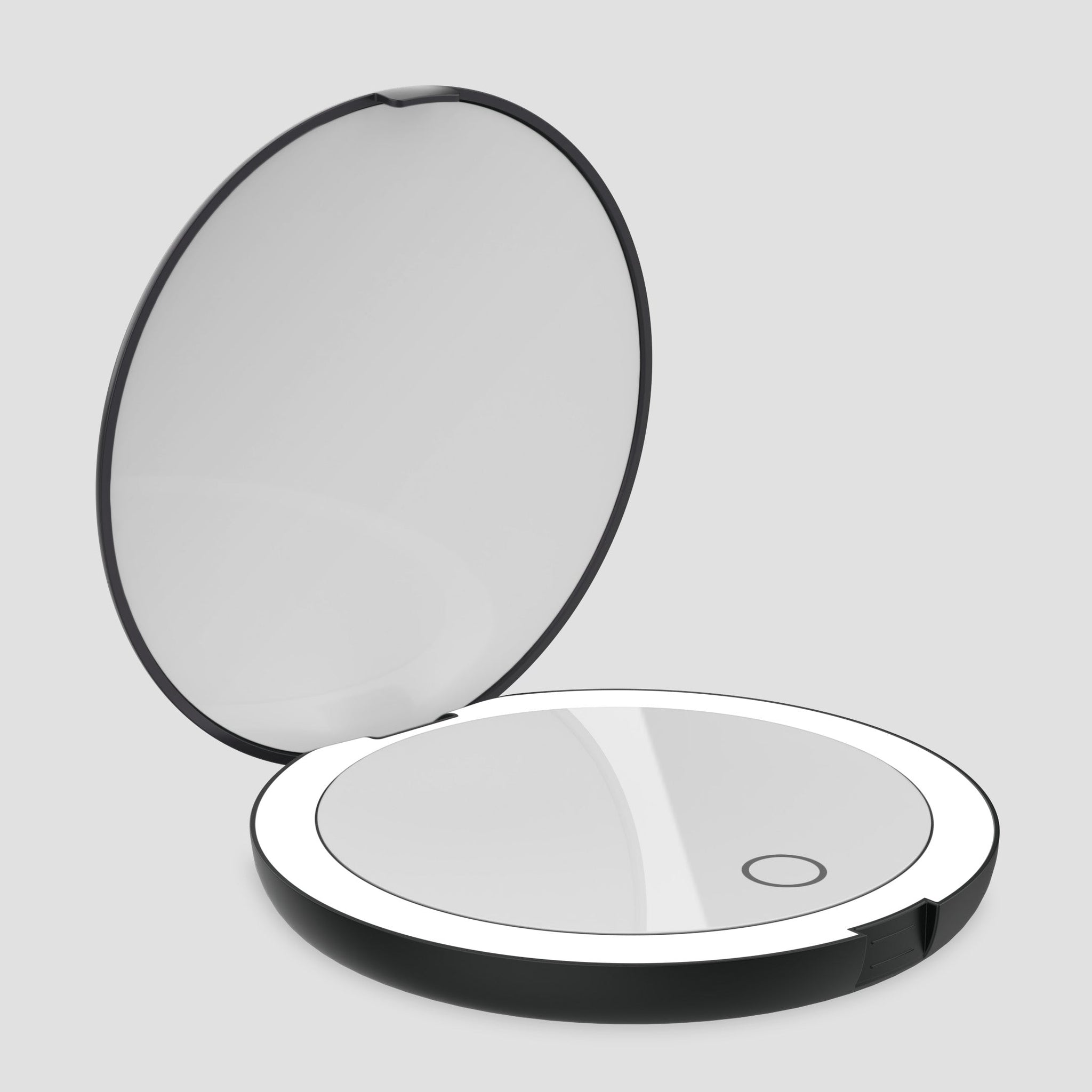
| COMPACT 2.0 | Quick touch-ups before calls, travel, handbag “camera-check” | Built-in 1x and 7x. Use it to fix edges and shine, then rely on your main front light for the call itself. | Best for fast prep when room light is already decent. |
| ECLIPSE | Hotels, commuting, “I need good light anywhere” situations | Portable and simple, but no magnification. Think of it as a lighting rescue tool more than a desk studio mirror. | Best when travel is the problem, not the desk setup. |
One common trap is using magnification as your main view. You move closer, the lighting falls off quickly, and you end up over-blending or over-correcting. Our magnification guide explains why stronger isn’t always better, especially when your end goal is to look natural on camera.
A simple 60-second test you can do before any meeting
- Open your call preview in Zoom or Teams with your normal room lighting.
- Switch on your mirror light at low brightness and place it beside or slightly behind your laptop, close to the webcam line.
- Check your eyes: if they look dark, the light is too high or too far away.
- Check forehead and cheeks: if highlights blow out, dim first, then move the light closer.
- Toggle one other mode for a quick colour sanity check, then return to the most natural-looking setting.
If your makeup looks patchy only on video, don’t assume your foundation failed. It’s often lighting angle and contrast. Start with the practical fixes in makeup mistakes under bad lighting, then go deeper on creator setups in our GRWM lighting guide.
Troubleshooting: why you look different on camera
| What you see | Likely cause | Fix |
|---|---|---|
| Face looks grey or tired | Backlight from a window, or light source too far away | Turn 90 degrees to the window, or add a closer front light near the camera line |
| Shine on forehead and nose | Light too bright, too frontal, or very close with a small source | Dim first, then move slightly closer. If needed, offset the light a touch rather than blasting straight on |
| One side of the face is darker | Key light is too far to one side, or the laptop blocks it | Bring the light closer to the webcam axis, or raise the mirror slightly |
| Skin tone looks orange or green | Mismatched colour temperature, mixed room lighting | Turn off competing lamps, pick one main light, then re-check using a second mode for accuracy |
Watch: ORBIT in a desk setup
If your use case is skincare checks rather than makeup, the lighting logic stays the same, but what you’re looking for changes. This is why we separate “camera flattering” from “detail accurate” in LED mirror vs natural light for skincare routines.
A calmer on-camera setup starts with a stable light source
If you want one tool that helps you prep accurately and still looks clean on a desk, ORBIT is the simplest option. It gives you controllable, front-facing light at webcam height, plus an optional magnetic 7x attachment for quick detail checks without overcorrecting.
FAQs
Is a lighted mirror better than a ring light for video calls?
Only if you’re doing prep as well as presenting. For pure video-call polish, a ring light or desk key light is usually more direct. For makeup or grooming before calls, a lighted mirror helps you get detail right first.
Where should I place a mirror for Zoom calls?
Place it close to your webcam axis, beside or slightly behind your laptop, and high enough that the light hits your face from the front. If the mirror is low and the webcam is high, you’ll still get overhead shadows.
What light colour is best for video calls?
A neutral daylight-leaning setting usually looks most natural on webcams. If you look washed out, warm it slightly. If you look orange, cool it slightly, then re-check in your call preview.
Do I need magnification for video calls?
No. Magnification is for short precision checks. For a natural look on camera, do most prep in 1x and only switch briefly when you need to check an edge or detail.
Why do I look fine in the mirror but bad on camera?
Because the camera is reacting to your lighting and background. If your background is brighter than your face, your camera underexposes you. Fix light direction first, then adjust brightness.
Can a travel mirror improve hotel video calls?
Yes. Portable mirror lighting can add controlled front light when hotel lighting is overhead or uneven, helping your face appear clearer without relying on harsh bathroom bulbs.
Related links
- Vanity mirror with lights vs ring light: which is better for everyday makeup?
- Best mirror for influencers: the viral GRWM lighting secret
- The best light settings for makeup: warm vs cool vs natural
- Best magnification for makeup and grooming (5x vs 10x vs 15x)
- Light up mirrors vs LED mirrors: what’s the difference?
- Zoom: lighting concepts for video conferencing

Leave a comment
This site is protected by hCaptcha and the hCaptcha Privacy Policy and Terms of Service apply.